Minecraft Coding - Spring Term 2025
MINECRAFT Coding Beginner Level
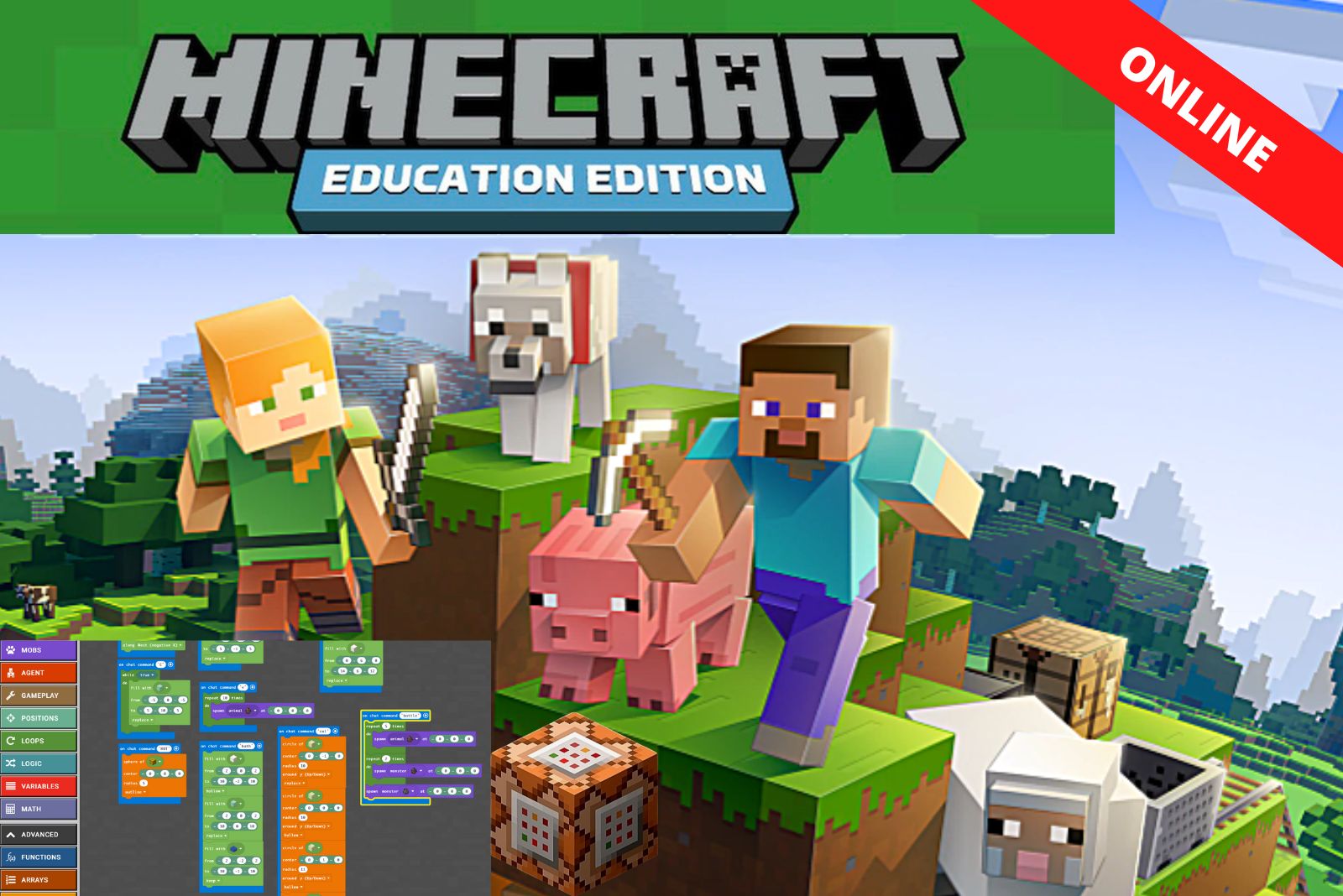
Don’t just let your children play Minecraft, get them coding with it! In this live online weekly class, the students will be taught to code using Minecraft, in a block-based programming language (Microsoft MakeCode).
Age Requirement: 7+
MINECRAFT Coding Intermediate Level
Take your Minecraft coding knowledge further with the new Code Kids Intermediate level Minecraft Coding course this term. You will take your knowledge of creative game play to the next level as we explore the interplay between code, command blocks, and Redstone to create multi-player games. We will also introduce Minecraft JavaScript and Python coding to children. This will set them up for the next level of their coding journey which will use ‘real-world’ text-based programming languages such as Java, Python or JavaScript.
Who is the course for?
The course is aimed at children who are at least 9 years of age or those who have a good grasp of the beginner level concepts.
What we will cover in the Intermediate Minecraft course:
- We will focus more on multiplayer games where the children can interactively play inside each other’s Minecraft worlds.
- Advanced data structures: using object Variables, Lists and Dictionaries
- Use of Logic, and nested logic statements to make in-game decisions.
- Advanced loops: using For loops and While loops embedded with logic
- Using Functions to create reusable and clean code.
- Combining Command blocks and Code to create highly interactive games
- We will explore basic JavaScript and Python coding techniques. This is the next step up from block-based coding and opens up a whole new world of ‘real-life’ coding opportunities.
This class runs like an after school club. There is a class once a week every week at the same time. Minecraft coding sessions last an hour.
Minecraft Coding, Spring Term Timetable 2025:
[table id=6 /]
Duration: 10 weeks
Frequency: Once a week
Course Fee: £150
Note: Half term break (no sessions): 17th February – 21st February 2025
No prior coding experience necessary. Minecraft play experience is highly desired but not essential.
Equipment Needed:
- A laptop/computer or tablet with the Zoom installed.
- A laptop/computer or an iPad with Minecraft Education edition installed
MINECRAFT EDUCATION EDITION SETUP:
Please download Minecraft Education Edition for free on any of the following devices:
- A Mac computer/laptop (download here)
- A Windows PC/laptop (download here)
- A Chromebook (download here)
- An iPad (other tablets are not supported – download from the app store)
– Please check Minecraft Education Edition system requirements here.
It is highly recommended that you use two devices, one to work on, and the other for Zoom where the tutor will be sharing his or her screen and communicating with your child. A mobile phone isn’t ideal for Zoom as the screen is too small.
JOINING THE CLASS
Your child will need to be in a quiet space away from any background noise. We can’t always see your child’s screen so they may need some adult supervision from time to time to make sure they are getting the most out of their lesson.
Minecraft Coding - Spring Term 2025
£135.00
[fusion_builder_container hundred_percent=”no” hundred_percent_height=”no” hundred_percent_height_scroll=”no” hundred_percent_height_center_content=”yes” equal_height_columns=”yes” menu_anchor=”” hide_on_mobile=”small-visibility,medium-visibility,large-visibility” status=”published” publish_date=”” class=”pro-four-col-sec” id=”” background_color=”” background_image=”” background_position=”center center” background_repeat=”no-repeat” fade=”no” background_parallax=”none” enable_mobile=”no” parallax_speed=”0.3″ video_mp4=”” video_webm=”” video_ogv=”” video_url=”” video_aspect_ratio=”16:9″ video_loop=”yes” video_mute=”yes” video_preview_image=”” border_color=”” border_style=”solid” margin_top=”” margin_bottom=”” padding_top=”” padding_right=”” padding_bottom=”” padding_left=”” type=”legacy” flex_align_items=”stretch”][fusion_builder_row][fusion_builder_column type=”1_1″ layout=”1_1″ spacing=”” center_content=”no” link=”” target=”_self” min_height=”” hide_on_mobile=”small-visibility,medium-visibility,large-visibility” class=”” id=”” background_color=”” background_image=”” background_image_id=”” background_position=”left top” background_repeat=”no-repeat” hover_type=”none” border_color=”” border_style=”solid” border_position=”all” padding_top=”” padding_right=”” padding_bottom=”” padding_left=”” margin_top=”” margin_bottom=”” animation_type=”” animation_direction=”left” animation_speed=”0.3″ animation_offset=”” last=”true” border_sizes_top=”0″ border_sizes_bottom=”0″ border_sizes_left=”0″ border_sizes_right=”0″ first=”true”][fusion_content_boxes layout=”clean-vertical” columns=”1″ link_type=”” button_span=”” link_area=”” link_target=”” icon_align=”left” animation_type=”” animation_direction=”left” animation_speed=”0.3″ animation_delay=”” animation_offset=”” hide_on_mobile=”small-visibility,medium-visibility,large-visibility” class=”” id=”” title_size=”18px” heading_size=”2″ title_color=”” hue=”” saturation=”” lightness=”” alpha=”” body_color=”” backgroundcolor=”#f4f4f4″ icon=”” iconflip=”” iconrotate=”” iconspin=”no” iconcolor=”” icon_circle=”” icon_circle_radius=”” circlecolor=”” circlebordersize=”” circlebordercolor=”” outercirclebordersize=”” outercirclebordercolor=”” icon_size=”” icon_hover_type=”” hover_accent_color=”” image=”” image_id=”” image_max_width=”” margin_top=”” margin_bottom=””][fusion_content_box title=”Minecraft Coding” backgroundcolor=”rgba(239,239,239,0)” hue=”” saturation=”” lightness=”” alpha=”” icon=”” iconflip=”” iconrotate=”” iconspin=”no” iconcolor=”” circlecolor=”” circlebordersize=”” circlebordercolor=”” outercirclebordersize=”” outercirclebordercolor=”” image=”https://blackheath.codekids.org/wp-content/uploads/2019/02/minecraft2-300×193.jpg” image_id=”2325|medium” image_max_width=”300″ link=”” linktext=”Read More” link_target=”” animation_type=”” animation_direction=”left” animation_speed=”0.3″ animation_offset=””]
This course is designed for primary aged students who are looking to learn to code the games that they play every day. Minecraft makes coding fun yet meaningful as players learn and understand coding concepts that they bring to life in the game!
The participant can use a drag & drop interface which is highly intuitive, but the blocks also show the actual java code too. Coding concepts like variables, if/then/else statements and constructors will be learnt. More advanced participants can switch any time from block-based drag-and-drop code to Javascript.
The children can play with their creations and show their friends at the end of the session on a secure server that only the course participants on the day will have access to:
- Code in Minecraft using a Java editor
- Increase complexity with Conditions and Variables
- Learn about Boolean and Loops
- Test and debug using logic and systematic reasoning
- Connect your world and Play in Minecraft
[/fusion_content_box][/fusion_content_boxes][/fusion_builder_column][/fusion_builder_row][/fusion_builder_container][fusion_global id=”3277″]
[fusion_builder_container hundred_percent=”no” hundred_percent_height=”no” hundred_percent_height_scroll=”no” hundred_percent_height_center_content=”yes” equal_height_columns=”no” menu_anchor=”” hide_on_mobile=”small-visibility,medium-visibility,large-visibility” status=”published” publish_date=”” class=”” id=”” background_color=”” background_image=”” background_position=”center center” background_repeat=”no-repeat” fade=”no” background_parallax=”none” enable_mobile=”no” parallax_speed=”0.3″ video_mp4=”” video_webm=”” video_ogv=”” video_url=”” video_aspect_ratio=”16:9″ video_loop=”yes” video_mute=”yes” video_preview_image=”” border_color=”” border_style=”solid” margin_top=”” margin_bottom=”” padding_top=”” padding_right=”” padding_bottom=”” padding_left=”” type=”legacy”][fusion_builder_row][fusion_builder_column type=”1_1″ layout=”1_1″ spacing=”” center_content=”no” link=”” target=”_self” min_height=”” hide_on_mobile=”small-visibility,medium-visibility,large-visibility” class=”” id=”” background_color=”” background_image=”” background_image_id=”” background_position=”left top” background_repeat=”no-repeat” hover_type=”none” border_color=”” border_style=”solid” border_position=”all” padding_top=”” padding_right=”” padding_bottom=”” padding_left=”” margin_top=”” margin_bottom=”” animation_type=”” animation_direction=”left” animation_speed=”0.3″ animation_offset=”” last=”true” border_sizes_top=”0″ border_sizes_bottom=”0″ border_sizes_left=”0″ border_sizes_right=”0″ first=”true”][/fusion_builder_column][/fusion_builder_row][/fusion_builder_container][fusion_builder_container hundred_percent=”no” hundred_percent_height=”no” hundred_percent_height_scroll=”no” hundred_percent_height_center_content=”yes” equal_height_columns=”no” menu_anchor=”” hide_on_mobile=”small-visibility,medium-visibility,large-visibility” status=”published” publish_date=”” class=”” id=”” background_color=”” background_image=”” background_position=”center center” background_repeat=”no-repeat” fade=”no” background_parallax=”none” enable_mobile=”no” parallax_speed=”0.3″ video_mp4=”” video_webm=”” video_ogv=”” video_url=”” video_aspect_ratio=”16:9″ video_loop=”yes” video_mute=”yes” video_preview_image=”” border_color=”” border_style=”solid” margin_top=”” margin_bottom=”” padding_top=”” padding_right=”” padding_bottom=”” padding_left=”” type=”legacy”][fusion_builder_row][fusion_builder_column type=”1_1″ layout=”1_1″ spacing=”” center_content=”no” link=”” target=”_self” min_height=”” hide_on_mobile=”small-visibility,medium-visibility,large-visibility” class=”” id=”” background_color=”” background_image=”” background_image_id=”” background_position=”left top” background_repeat=”no-repeat” hover_type=”none” border_color=”” border_style=”solid” border_position=”all” animation_type=”” animation_direction=”left” animation_speed=”0.3″ animation_offset=”” last=”true” border_sizes_top=”0″ border_sizes_bottom=”0″ border_sizes_left=”0″ border_sizes_right=”0″ first=”true”][fusion_modal name=”read_more_lego” title=”Lego Robotics and Engineering” size=”large” background=”#f4f4f4″ border_color=”#ebebeb” show_footer=”yes” class=”” id=””]
 Children use the Lego WeDo 2.0 and Lego Mindstorms EV3 to design robots to solve real world problems. They learn to code their robots in interactive challenges. In addition to the basics of robotics, children learn key engineering principles such as force and motion, gear ratios and aerodynamics.
- Solve a real world ‘big problem’ such as pollution, animal welfare, dinosaur habitats
- Apply engineering concepts such as gear ratios, aerodynamics, motions
- Explore visual programming with the WeDo 2.0 and EV3 software
- Build robots that use motors
- Program and utilize different sensors
- Develop structural design skills
[/fusion_modal][/fusion_builder_column][fusion_builder_column type=”1_1″ layout=”1_1″ spacing=”” center_content=”no” link=”” target=”_self” min_height=”” hide_on_mobile=”small-visibility,medium-visibility,large-visibility” class=”” id=”” background_color=”” background_image=”” background_image_id=”” background_position=”left top” background_repeat=”no-repeat” hover_type=”none” border_color=”” border_style=”solid” border_position=”all” animation_type=”” animation_direction=”left” animation_speed=”0.3″ animation_offset=”” last=”true” border_sizes_top=”0″ border_sizes_bottom=”0″ border_sizes_left=”0″ border_sizes_right=”0″ first=”true”][fusion_modal name=”read_more_game_design” title=”Game Design and Design Thinking” size=”large” background=”#f4f4f4″ border_color=”#ebebeb” show_footer=”yes” class=”” id=””]
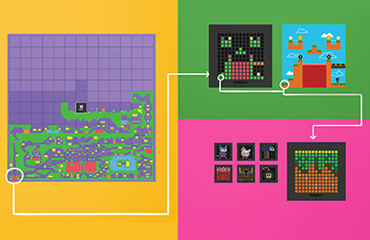 Make games rather than play them using your own ideas! Become game developers for a day using a physical and virtual platform for creating video games in the classroom. When students build games, they become the writers, artists, designers, and developers of their own interactive stories.
It all starts with an idea. We provide resources that encourage collaboration while guiding students through a design thinking process. Students create their own 13-bit layouts, characters, and art for their game.
- turn your physical creations into digital game elements
- edit and customize everything from characters to settings
- develop interactions and behaviour between characters
- tell rich, dynamic narratives through your games
- publish them so others can play them too
[/fusion_modal][/fusion_builder_column][fusion_builder_column type=”1_1″ layout=”1_1″ spacing=”” center_content=”no” link=”” target=”_self” min_height=”” hide_on_mobile=”small-visibility,medium-visibility,large-visibility” class=”” id=”” background_color=”” background_image=”” background_image_id=”” background_position=”left top” background_repeat=”no-repeat” hover_type=”none” border_color=”” border_style=”solid” border_position=”all” animation_type=”” animation_direction=”left” animation_speed=”0.3″ animation_offset=”” last=”true” border_sizes_top=”0″ border_sizes_bottom=”0″ border_sizes_left=”0″ border_sizes_right=”0″ first=”true”][fusion_modal name=”read_more_arvr” title=”Augmented Reality Coding with Merge Cube” size=”large” background=”#f4f4f4″ border_color=”#ebebeb” show_footer=”yes” class=”” id=””]
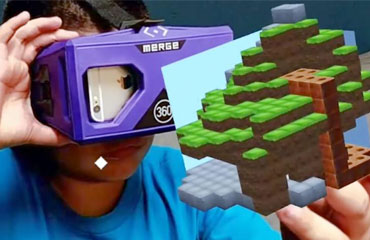 Hold a Merge Cube, and use design and coding principles to turn it into any virtual object you wish. Content creation for the best piece of tech we’ve seen in recent times.
Workshop participants use the MERGE Cube and turn it into a hologram that they can hold in their own hands! Participants learn design principles through the use of computer aided design (CAD) tools. They then learnt to code the merge cube to interact with an end user.
- Use visual block-based and intuitive programming language to code
- More advanced coders can have fun coding scripts to add interactions through JavaScript
- Use code to experiment with physics! Create simulations of physical phenomena and visualize abstract scientific concepts in 3D or in VR.
[/fusion_modal][/fusion_builder_column][fusion_builder_column type=”1_1″ layout=”1_1″ spacing=”” center_content=”no” link=”” target=”_self” min_height=”” hide_on_mobile=”small-visibility,medium-visibility,large-visibility” class=”” id=”” background_color=”” background_image=”” background_image_id=”” background_position=”left top” background_repeat=”no-repeat” hover_type=”none” border_color=”” border_style=”solid” border_position=”all” padding_top=”” padding_right=”” padding_bottom=”” padding_left=”” margin_top=”” margin_bottom=”” animation_type=”” animation_direction=”left” animation_speed=”0.3″ animation_offset=”” last=”true” border_sizes_top=”0″ border_sizes_bottom=”0″ border_sizes_left=”0″ border_sizes_right=”0″ first=”true”][fusion_modal name=”read_more_minecraft” title=”Coding with Minecraft” size=”large” background=”#f4f4f4″ border_color=”#ebebeb” show_footer=”yes” class=”” id=””]
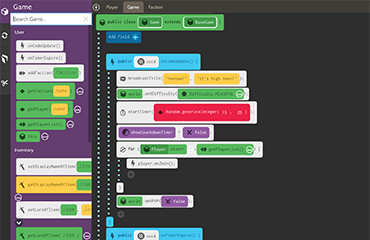 Learn how to code in Java with Minecraft in a highly interactive learning environment!
The participant can use a drag & drop interface which is highly intuitive, but the blocks also show the actual java code too. Coding concepts like variables, if/then/else statements and constructors will be learnt. More advanced participants can switch any time from block-based drag-and-drop code to Javascript.
The children can play with their creations and show their friends at the end of the session on a secure server that only the course participants on the day will have access to:
- Code in Minecraft using a Java editor
- Increase complexity with Conditions and Variables
- Learn about Boolean and Loops
- Test and debug using logic and systematic reasoning
- Connect your world and Play in Minecraft
[/fusion_modal][/fusion_builder_column][fusion_builder_column type=”1_1″ layout=”1_1″ spacing=”” center_content=”no” link=”” target=”_self” min_height=”” hide_on_mobile=”small-visibility,medium-visibility,large-visibility” class=”” id=”” background_color=”” background_image=”” background_image_id=”” background_position=”left top” background_repeat=”no-repeat” hover_type=”none” border_color=”” border_style=”solid” border_position=”all” padding_top=”” padding_right=”” padding_bottom=”” padding_left=”” margin_top=”” margin_bottom=”” animation_type=”” animation_direction=”left” animation_speed=”0.3″ animation_offset=”” last=”true” border_sizes_top=”0″ border_sizes_bottom=”0″ border_sizes_left=”0″ border_sizes_right=”0″ first=”true”][fusion_modal name=”read_more_stop_motion” title=”Stop Motion Animation” size=”large” background=”#f4f4f4″ border_color=”#ebebeb” show_footer=”yes” class=”” id=””]
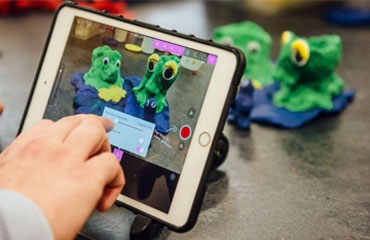
In this course, children learn to create their own stories through Wallace & Grommitt type clay figures and Lego city models. They will learn to create story boards before shooting their own movie complete with audio and special effects animations. The children will be encouraged to work in teams to bounce off ideas and become excellent story tellers. In our animation workshops, children:
- Create story boards and narratives
- Plan and create characters
- Edit video and audio tracks
- Use professional equipment and software for capture and editing
- Produce videos and animations for YouTube
- Develop a range of soft skills including presenting, planning, designing and post-production editing
[/fusion_modal][/fusion_builder_column][/fusion_builder_row][/fusion_builder_container]
Related products
-
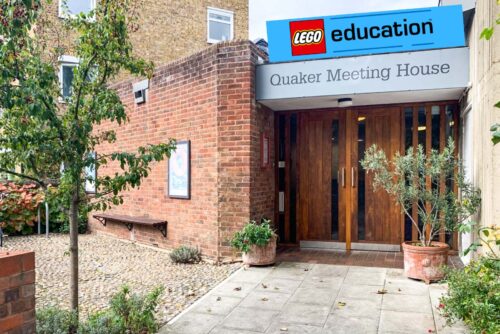
Quaker Meeting House – Lego Robotics Club, Spring Term
£27.00 -
Sale!
Wimbledon – February Half Term Camp (17th Feb – 21st Feb 2025)
Price range: £75.00 through £337.50 -

AI Coding – Spring Term 2025
£150.00 -

Wrap Around Care – February Half Term Camp 2025
£6.00 This product has multiple variants. The options may be chosen on the product page